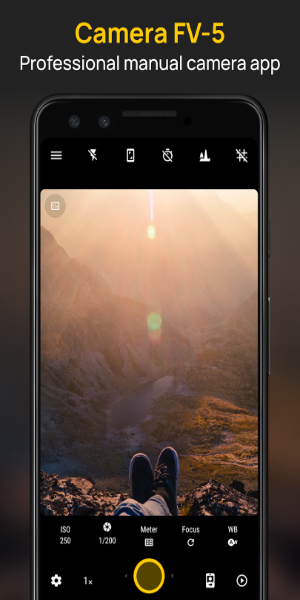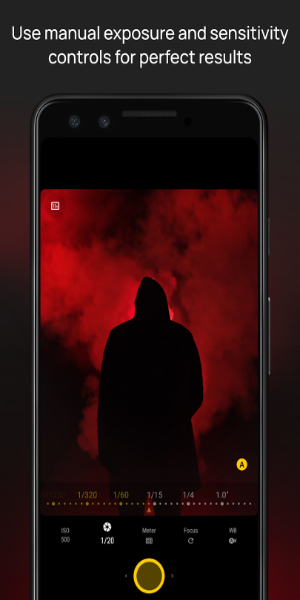
Camera FV-5 is a professional-caliber camera application that turns your smartphone into a powerful photography tool. It enables manual control over ISO, exposure, focus, and more—just like a DSLR. Customizable hardware keys and various screen display options give you precise command over your shots. This app is perfect for photography lovers seeking advanced capabilities in a mobile-friendly form.
Overview of Camera FV-5
Camera FV-5 is a flexible camera app built to unlock your smartphone’s professional imaging potential. Tailored for amateur and experienced photographers who want studio-level results without extra gear, it delivers a full suite of manual adjustments and tools on par with high-end cameras.
How to Use
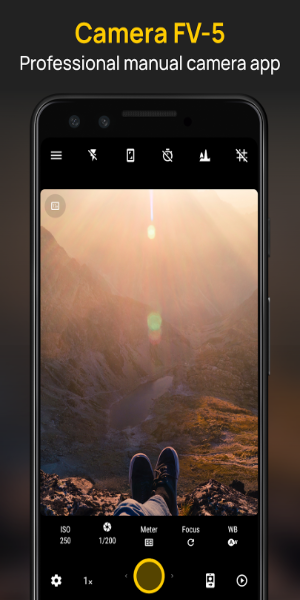
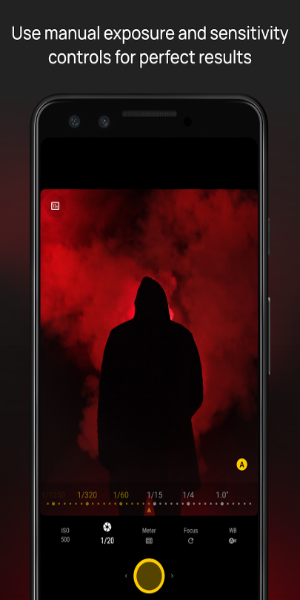
Camera FV-5 is simple to operate but packed with pro-level functionality. You can manually change ISO, exposure compensation, focus type, metering mode, white balance, and program mode. You can also remap your phone’s physical keys—such as volume or power—into shutter or adjustment buttons. A variety of screen layouts help frame your subject accurately, making it easy to nail the shot.
Key Features
Manual Camera Controls
- ISO: Fine-tune your camera’s light sensitivity to get cleaner, crisper shots in any environment.
- Exposure Compensation: Modify exposure to prevent overly bright or dark photos.
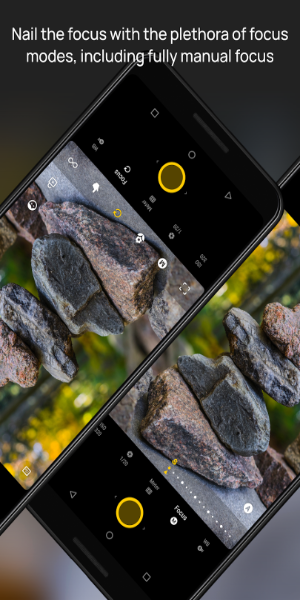
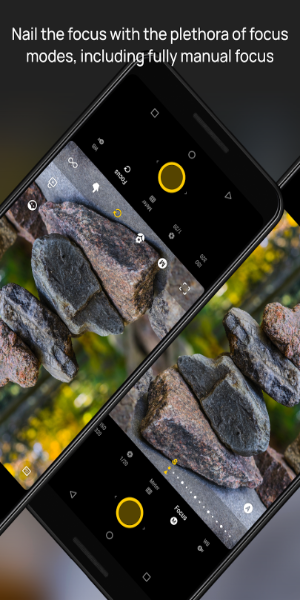
- Focus Mode: Switch between auto, macro, and manual focus for total creative flexibility.
- Metering Mode: Choose how the camera reads light to ensure correct exposure.
- White Balance: Adapt the color temperature for realistic hues across lighting situations.
- Program Mode: Select priority for shutter speed or aperture to achieve the look you want.
Hardware Button Customization
- Use your phone’s physical buttons—like the power or volume keys—as camera triggers or adjustment dials. This makes shooting faster and reduces screen tapping.
Multiple Screen Display Modes
- Get several display layouts designed to aid composition and framing, boosting creativity and accuracy before you take the picture.
Diverse Photography Modes
- Exposure Compensation: Tweak brightness without affecting ISO or aperture.
- Program and Speed-Priority Modes: Emphasize shutter speed for fast action or aperture for depth-of-field effects.
- Autofocus and Manual Focus: Pick quick autofocus or take full control with manual focusing.
- Macro and Touch-to-Focus: Snap detailed close-ups with macro mode, or tap anywhere on-screen to set the focus point.
Support Features
- Long Exposures: Shoot up to 30 seconds for night photography, light painting, and motion blur effects.
- EXIF and XMP Metadata: Each image stores detailed capture information—settings, time, and more—for easy reference and organizing.
App Design and User Experience
Camera FV-5 features a clean, functional interface that balances ease of use with customization. Essential tools are within quick reach, while deeper settings are neatly organized for experienced users. The app feels like using a dedicated camera, making professional mobile photography accessible to all skill levels.
Pros and Cons
Pros:
Professional Control: Comprehensive manual settings rivaling DSLRs.
Customization: Customizable hardware buttons and screen layouts.
Feature-rich: Multiple shooting modes plus long exposure support.
Cons:
Learning Curve: Mastering all functions takes some practice.
Hardware Limitations: Performance depends on your smartphone’s camera hardware.
Enjoy the Thrills of Professional Photography
Camera FV-5 is essential for photographers wanting to step up their mobile imaging. Whether you're a beginner learning manual controls or a pro who needs robust features on the move, this app has it all. With its smart design, broad feature set, and pro-level output, Camera FV-5 helps every shot look sharp and artistic. Download today to unlock new creative possibilities and take amazing photos you’ll love.